



Millions of people are feeding artificial intelligence with their private conversations, personal photographs, financial records, business documents and even their deepest secrets. But what exactly happens to this information after you press send? The answer might make you think twice before sharing your next prompt.
Artificial intelligence has become so deeply embedded in everyday life that many people no longer think twice before sharing information with it. From asking ChatGPT to write emails and solve problems to uploading personal documents, analysing financial records, reviewing private conversations and seeking advice about sensitive matters, people are increasingly treating AI chatbots as personal assistants they can tell almost anything.
For some, ChatGPT has become a digital confidant. People tell it things they might not even discuss with their closest friends. Others upload photographs, identification documents, academic records, business proposals and confidential workplace information, expecting the platform to process the content and provide an answer.




But while millions of users are enjoying the convenience, speed and intelligence of these tools, an important question deserves far more attention: What happens to the information you give ChatGPT after it has answered your question?
Does the platform simply process your information and move on? Can your conversations be used to train future AI models? Can human employees access what you type? Does deleting a conversation mean the information has disappeared permanently? These are not imaginary concerns. OpenAI, the company behind ChatGPT, openly explains in its privacy and data policies how it collects, processes, stores and uses information submitted through its services.
The uncomfortable reality is that using an AI chatbot involves sharing information with an online service. And unless you understand the privacy settings, you may be allowing your conversations to be used for purposes beyond generating the response you requested.
Here is what every ChatGPT user should understand.
1. Your conversations can be used to train and improve artificial intelligence

One of the most important things people need to understand is that ChatGPT is not simply a digital notebook that receives information, generates an answer and immediately forgets everything. OpenAI explains that it may use content submitted through its consumer services to improve the performance of its AI models.
This includes information such as:
- Questions and instructions entered into ChatGPT.
- Responses generated by the AI.
- Images uploaded for analysis.
- Documents and other files submitted by users.
- Other content shared during interactions with the platform.
What does this actually mean?
AI models are developed through training processes that help them recognise patterns, understand language, interpret information and produce increasingly useful responses. When users allow their conversations to be used for model improvement, their submitted content may become part of the information used in these processes.
For example, imagine someone asks ChatGPT to analyse a complicated document, correct a piece of writing or explain a technical problem. Depending on their settings, the interaction may be used to help improve future model performance.
This does not mean that ChatGPT automatically stores every conversation as a searchable personal profile or that another user can simply ask the chatbot to reveal your private messages. It means that information submitted by users can contribute to the development and improvement of AI models.
OpenAI says it applies privacy safeguards during training, including measures designed to identify and reduce personal information in training datasets. However, the important point remains: if you have not opted out of model training, your consumer conversations may be used to improve OpenAI’s models. And this is precisely why users should understand the available privacy controls.
Source: OpenAI – How your data is used to improve model performance.
2. ChatGPT collects more than the questions you type
Another important issue is the assumption that the only information an AI platform collects is whatever a user types into the chat box. OpenAI’s privacy policy describes several categories of information it may collect when people use its services.
These include:
Account information: This may include your name, email address, account credentials, date of birth, profile information and payment details where applicable.
User content: Your prompts, conversations, uploaded photographs, documents, files and other materials you provide.
Device and usage information: Information about the device you use, how you interact with the platform, log information and other technical details.
Location information: Depending on the circumstances, OpenAI may process approximate location information derived from your IP address or more precise location information that you choose to provide.
Why does this matter?
Because people sometimes assume that they are only sharing the information contained in a particular question. In reality, using an online service involves the processing of other information necessary to operate, maintain, secure and improve that service.
For instance, when you upload a document containing your home address, identification number or financial information, you are providing more than just a question for ChatGPT to answer. You are also submitting the information contained in that document to the platform.
The same applies to screenshots of private conversations, photographs, work documents and other files. Your prompt is not necessarily the only information being processed.
Source: OpenAI Privacy Policy.
3. Can real people at OpenAI read your ChatGPT conversations?
This is perhaps one of the questions users should pay more attention to. Many people imagine that their conversations are only being handled by automated computer systems and that no human being could ever access them.
However, OpenAI’s published Data Usage FAQ explains that a limited number of authorised personnel and trusted service providers may access user content when necessary for specific purposes.
These include:
- Investigating abuse or security incidents.
- Providing customer support and troubleshooting problems.
- Handling legal matters.
- Improving model performance, where the relevant training settings permit it.
This does not mean that employees are freely browsing through people’s conversations out of curiosity. OpenAI says access is subject to technical controls, restricted to authorised personnel on a need-to-know basis, and monitored. Nevertheless, the fact that human access is possible under certain circumstances is something users should understand.
Think about the implications.
You might upload a private document containing sensitive information, discuss a personal issue or share a confidential business proposal. While you may be interacting with an AI chatbot, that does not mean the information is guaranteed to remain accessible only to an automated system. This is why OpenAI itself advises users not to enter sensitive information they would not want reviewed or used.
Source: OpenAI – Data Usage for Consumer Services FAQ.
4. Does ChatGPT remember everything you tell it?
Have you ever returned to ChatGPT after several days and noticed that it remembers something you previously discussed?
This is connected to a feature called Memory.
ChatGPT can use memory and chat history to make future conversations more personalised. Depending on your settings, it may remember useful details such as your preferences, ongoing projects, interests and other information you have shared.
For example, if you regularly use ChatGPT to work on a business project, it may remember relevant details so that you do not have to explain the entire project every time you start a new conversation. This is convenient, but it also introduces another privacy consideration. The information used to personalise your experience is different from information used to train AI models. These are two separate processes.
Turning off model training does not automatically turn off Memory. Similarly, turning off Memory does not automatically prevent conversations from being used for model improvement. Users who want greater control over what ChatGPT remembers should review their Memory and Personalization settings.
It is also important to understand that deleting a conversation and deleting a saved memory are not necessarily the same action. Both may need to be managed separately. The ability to remember information is useful, but users should decide how much personal information they actually want an AI assistant to retain for future conversations.
5. What happens when you delete a ChatGPT conversation?
Here is another detail many people overlook. Deleting a conversation from your ChatGPT history does not necessarily mean that every copy of the information disappears immediately.
According to OpenAI’s published policies, chats that users delete are generally scheduled for deletion from its systems within 30 days. However, there are exceptions.
Information may need to be retained for longer where security, legal or other legitimate obligations apply. OpenAI also explains that information that has already been de-identified and disassociated from a user’s account may not be removed through the normal deletion process.
Temporary Chats are also handled differently. They do not appear in your regular chat history and are automatically deleted within 30 days, subject to applicable safety and legal exceptions. This is an important distinction.
Deleting a conversation is a useful privacy measure, but it should not be confused with an instant guarantee that every trace of the information has disappeared from every system. Users should therefore think carefully before submitting information that they would not want an online service to process in the first place.
Source: OpenAI Privacy Policy – Data retention.
6. Does OpenAI sell your personal information to advertisers?
It is important to separate legitimate privacy concerns from misinformation. There is a difference between a company processing information to provide its services, using certain content to improve its AI models and selling personal information to advertisers.
OpenAI states that it does not sell users’ data and does not share chat content for marketing or advertising purposes. However, the company does work with trusted service providers that help operate its services. These providers may process or store information on OpenAI’s behalf and are subject to contractual confidentiality and security obligations.
There are also situations where information may be shared with third-party services that users choose to interact with. For example, if you use an integrated third-party service, share information with an external partner or use a feature that sends information to another provider, that provider may handle the information under its own privacy policy.
This is why users should not assume that every service connected to an AI platform follows precisely the same privacy rules. The sensible approach is to understand what information is being shared and with whom.
7. The biggest mistake: uploading sensitive documents without thinking
Perhaps the most concerning development is how comfortable people have become uploading personal and confidential documents to AI platforms. Someone might upload a bank statement and ask ChatGPT to analyse their spending. Another person might upload a passport or driving licence to extract information.
An employee might submit an internal company report to get a summary. A business owner might upload a customer database to organise information. A student might submit an academic document containing personal details. Although these activities may appear harmless, they can expose considerably more information than necessary.
Here are some things you should avoid sharing unnecessarily:
Banking information: Bank account numbers, card details, transaction records, financial statements and other confidential financial information.
Identification documents: Passport numbers, driving licence details, national identification numbers and other official records.
Passwords and security information: Passwords, banking PINs, one-time passwords, verification codes and account recovery information should never be submitted.
Private conversations: Screenshots of WhatsApp messages, emails and other private communications may contain information about people who have not consented to having their information shared.
Medical and personal records: Sensitive records should not be uploaded unless there is a clear need and you understand the platform’s privacy implications.
Confidential workplace information: Internal reports, customer databases, contracts, unpublished business strategies and company financial information should not be submitted without proper authorisation.
The problem is not necessarily that ChatGPT will expose these documents to the public. Rather, the problem is that users may be handing over information without properly considering how it will be processed, retained or potentially accessed.
A much safer approach is to remove identifying details before uploading a document. For instance, if you want ChatGPT to explain a bank statement format, you do not need to upload your actual account number, home address or other identifying information. If you want it to review a contract, remove confidential details where possible and make sure you have permission to share the document.
Give AI only the information it needs to complete the task.
8. How to stop ChatGPT from using your conversations to train its AI models
Now for the part every ChatGPT user should know.
OpenAI provides a setting that allows users of eligible personal accounts to opt out of having new conversations used to train its models. The setting is called Improve the model for everyone.
If you have never checked this setting, it is worth taking a moment to review it. Here is how to change it.
On Android and iPhone
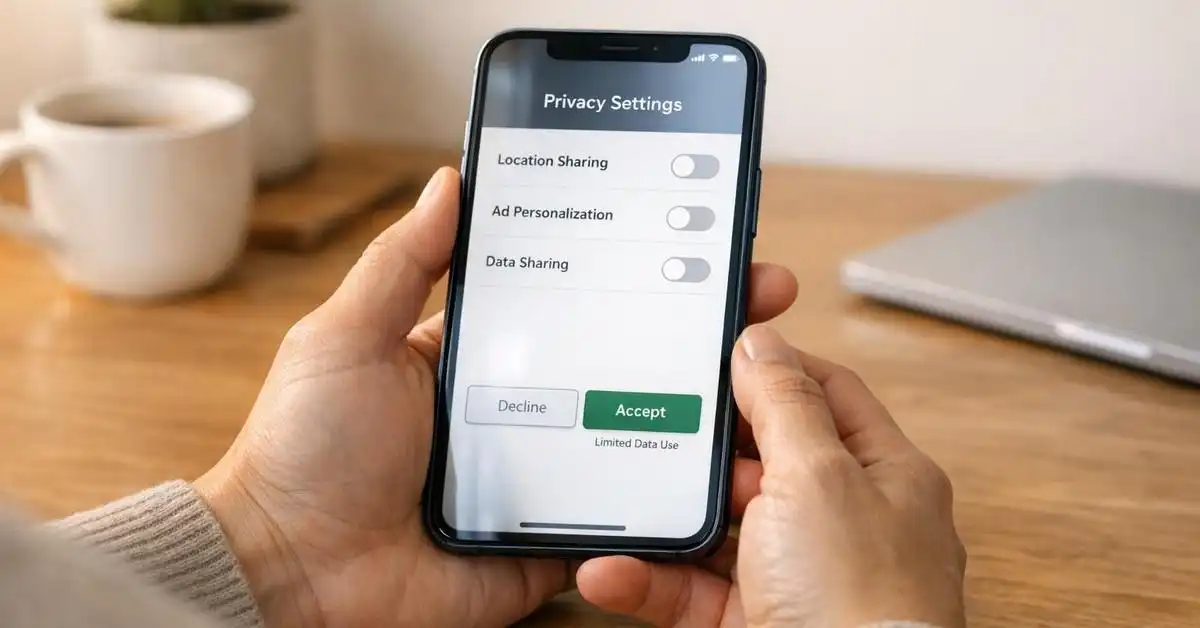
Step 1: Open your ChatGPT application.
Step 2: Open the sidebar and tap your profile icon to access Settings.
Step 3: Select Data Controls.
Step 4: Find the option labelled Improve the model for everyone.
Step 5: Switch it off.
Once disabled, new conversations will not be used to train OpenAI models. This setting applies to your account across devices when you are signed in.
On a computer
The process is equally straightforward:
- Open ChatGPT and log into your account.
- Click your account profile.
- Select Settings.
- Open Data Controls.
- Find Improve the model for everyone.
- Turn the setting off.
There is an important detail here: turning off this setting does not delete your existing conversations. Your chats can still appear in your history, and ChatGPT will continue processing information to provide the service.
Also, if you subsequently submit feedback on an answer using the thumbs-up or thumbs-down buttons, OpenAI says the entire conversation associated with that feedback may be used to train its models, even if you have opted out.
For more information, visit the official OpenAI Data Controls guide.
9. Use Temporary Chat when you do not want a conversation saved in your regular history
Another useful feature is Temporary Chat. This provides an additional option for people who do not want a particular conversation appearing in their normal chat history.
Temporary Chats:
- Do not appear in your regular chat history.
- Do not create or update memories.
- Are not used to improve OpenAI models while they remain temporary.
- May be retained for up to 30 days for safety purposes.
However, there is an important distinction: Temporary Chat does not mean that your conversation is never processed or that it disappears immediately after you close it.
OpenAI may retain a copy for up to 30 days for safety purposes, subject to applicable exceptions. To use it, start a new conversation and select the Temporary Chat option from the ChatGPT interface. It is particularly useful when you want a conversation that does not become part of your normal chat history.
10. Review what ChatGPT remembers about you
If you have been using ChatGPT for months, it may have accumulated memories that help personalise your conversations. You should periodically review these settings.
To do this:
- Open ChatGPT.
- Go to Settings.
- Select Personalization.
- Open the Memory settings.
- Review the information ChatGPT uses to personalise your experience.
- Adjust, delete or disable memories as appropriate.
Remember that Memory and model training are separate.
Disabling Memory does not automatically turn off model training, and opting out of model training does not automatically delete existing memories. For greater control, review both settings.
11. What about people using ChatGPT for business and professional work?
The issue extends beyond individual users. Businesses, schools, organisations, journalists, developers and professionals are increasingly using AI tools to improve productivity.
However, the information shared in a professional setting can be considerably more sensitive than an ordinary conversation. For example, a business might upload customer records, employee information, financial statements or unpublished commercial strategies.
An employee might paste internal correspondence into ChatGPT to generate a response. A journalist might submit unpublished interview notes for analysis. These activities can create confidentiality and data protection concerns, particularly where personal information or commercially sensitive material is involved.
OpenAI makes an important distinction between its individual consumer services and business offerings. By default, content submitted through ChatGPT Business, Enterprise, Edu and its API is not used to train its models unless the customer explicitly opts in. This is different from the settings that apply to personal consumer accounts.
However, using a business account does not mean information can be shared without restrictions. Organisations may have their own access, retention and compliance policies, and employees must still follow their employer’s rules. The lesson is simple: having access to an AI tool does not automatically give you permission to upload every document you encounter.
12. Should people stop using ChatGPT?
Absolutely not.
Artificial intelligence has enormous potential to improve education, healthcare, business operations, research, communication and everyday productivity. It can help people understand complicated subjects, develop ideas, write more effectively, solve technical problems and complete tasks that previously required considerable time and effort. The problem is not the existence of ChatGPT or artificial intelligence itself.
The problem is using powerful digital tools without understanding the implications of sharing personal information with them. People need to recognise that an AI chatbot is an online service, not a private diary, a personal vault or a legally privileged conversation with a professional. Its ability to respond naturally and remember certain details should not make users forget that information is being processed by a technology company.
And while OpenAI has introduced privacy controls and safeguards, users still need to take responsibility for what they choose to submit.
FINAL THOUGHT: YOUR PRIVACY IS WORTH MORE THAN A CONVENIENT ANSWER
The rapid growth of artificial intelligence has created a situation where people can share almost anything with a chatbot and receive an immediate response. But convenience should never replace caution.
Before uploading that bank statement, think again. Before pasting that private conversation, consider the other people involved. Before submitting a confidential business document, check whether you are authorised to share it.
Most importantly, take a few minutes to review your ChatGPT privacy settings. Many users have never explored the Data Controls section, even though it provides important options for managing how their information is used.
The fact that an AI platform can help you solve a problem does not mean it needs to know everything about you. You can enjoy the benefits of artificial intelligence without giving it unnecessary access to your personal life.
So, the next time you open ChatGPT and prepare to type something personal, remember this: the question is not just what AI can do with your information. It is whether you should be sharing that information in the first place.
Think before you type. Your personal data is not something you should give away carelessly.